Blog entry by Admin User
Anyone in the world
Here are the steps to share the notes to students in the class.
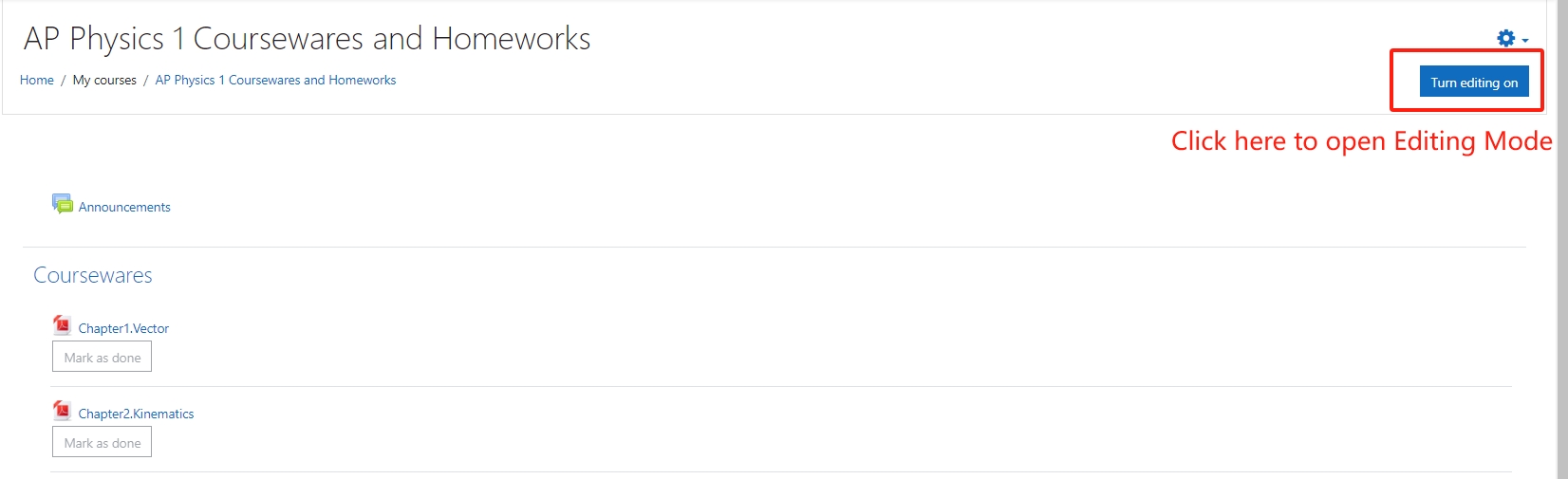
1.Open the course, switch into Editing Mode:
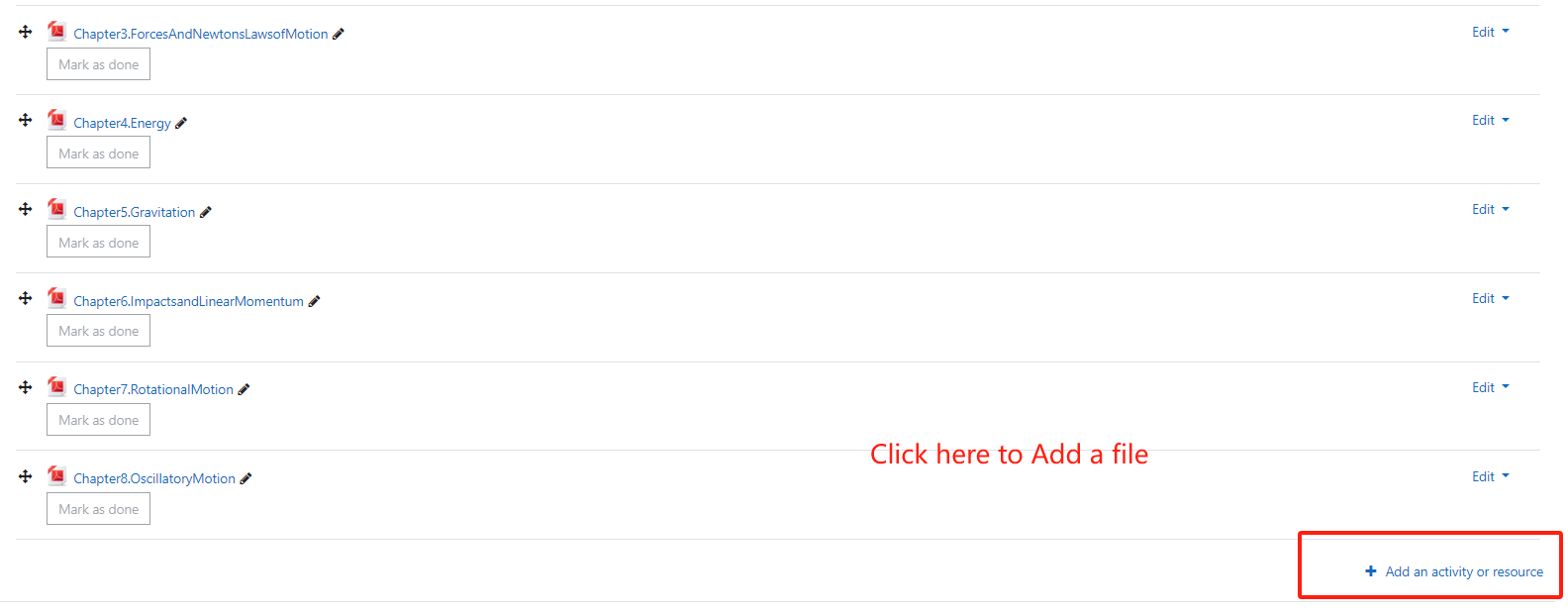
2.Click "Add an activity or resource" at the bottom:
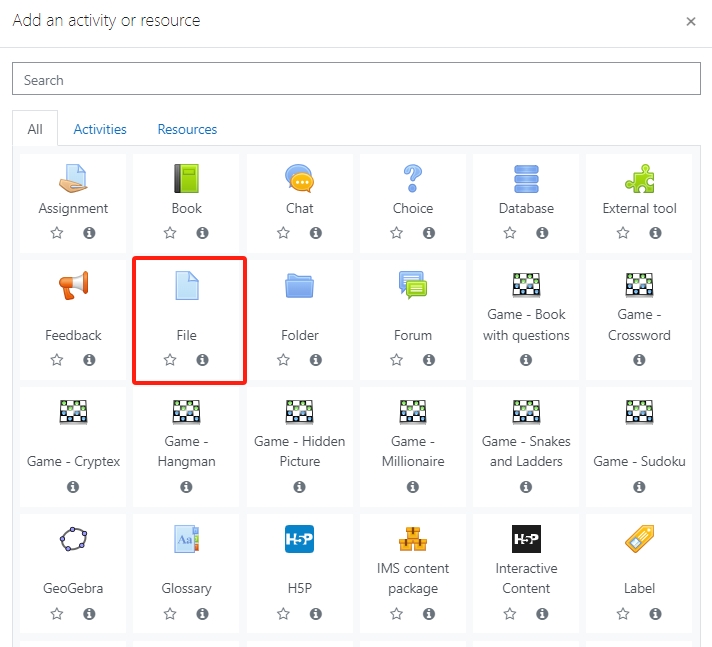
3.Choose the File type to upload:
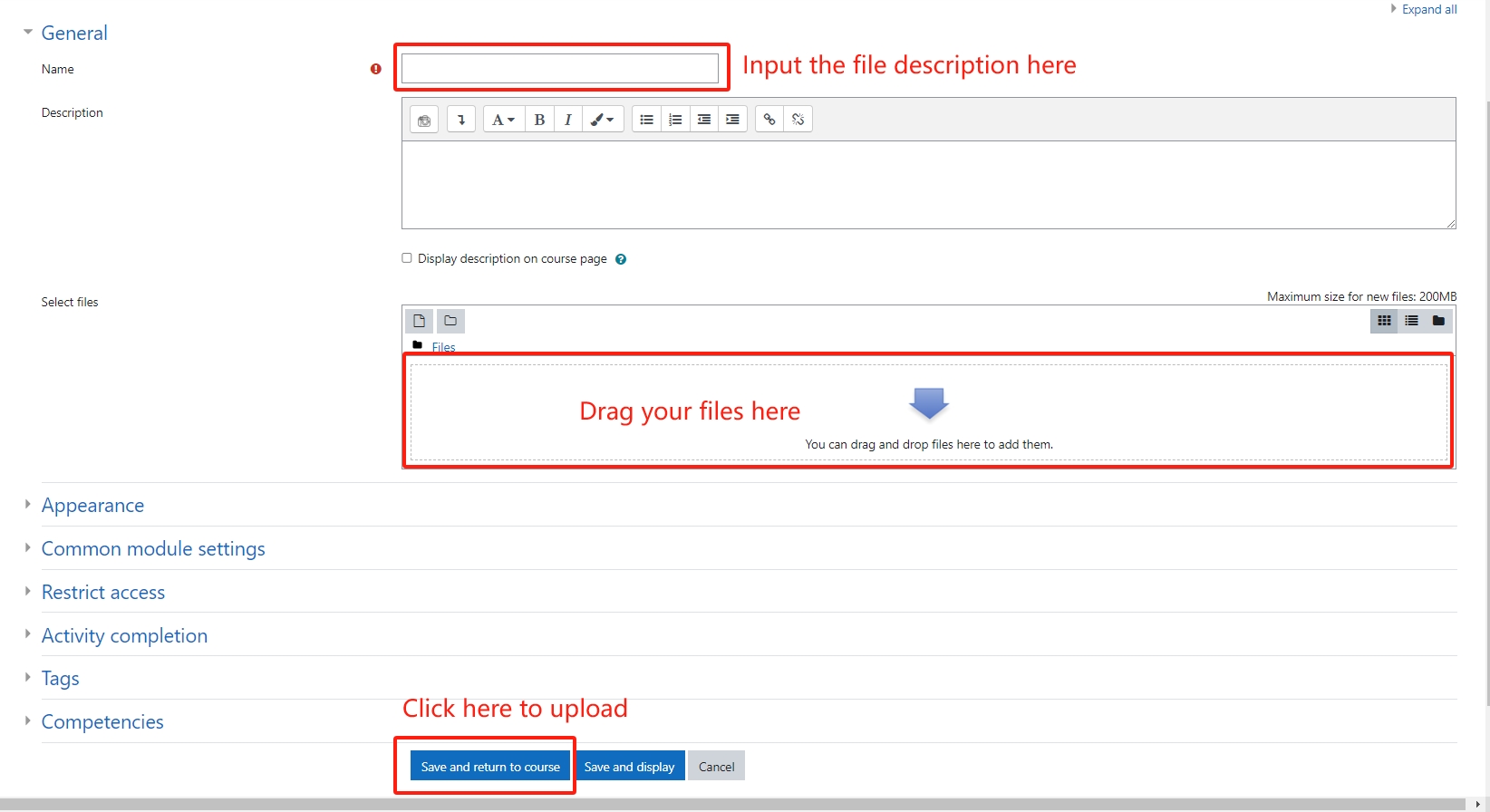
4.Input the file title and description then Drag your uploading file into the file box:
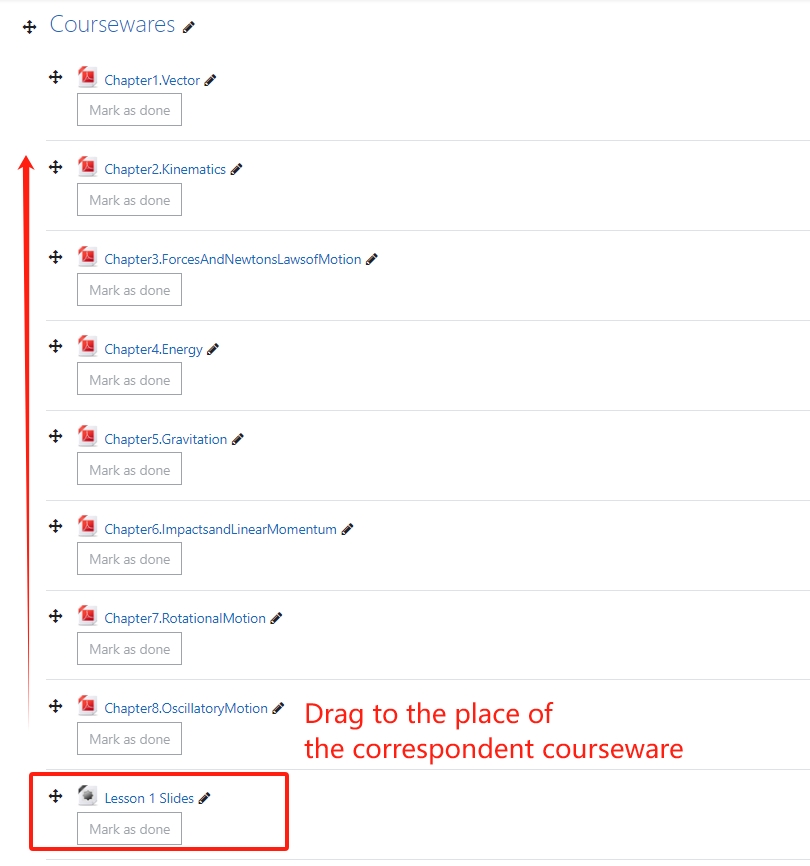
5.Drag the notes below the correspondent courseware to make students easier to review:
6.Switch off the Editing mode.
Thanks for uploading your notes to let students learn better!
[ Modified: Thursday, 3 October 2024, 8:32 AM ]