Blog entry by Admin User
Anyone in the world
1.Download Foxmail from:
2.After installing Foxmail successfully, open it to create a new account by choosing "Other MailBox":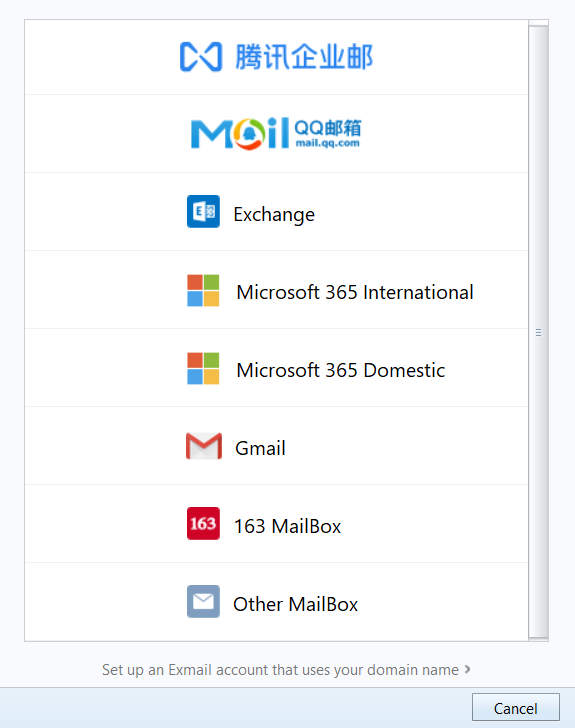
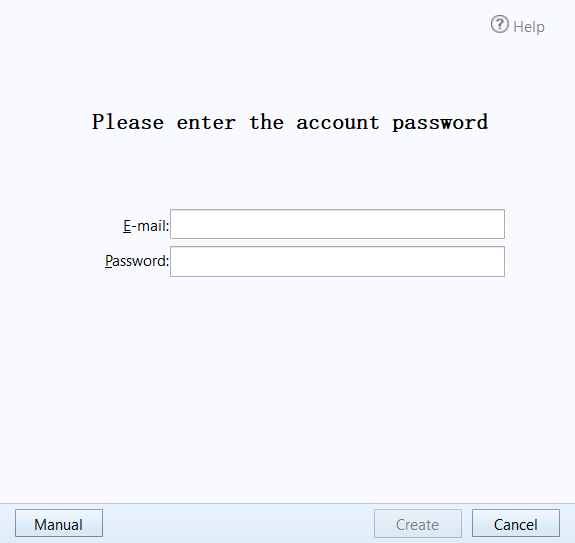
3.Input your email and password then Click "Manual" button:
4.Set mail server information as the following box:
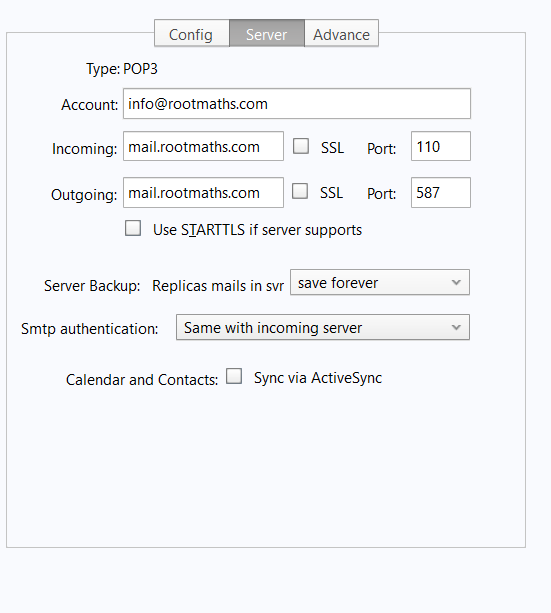
Incoming: mail.rootmaths.com Port:110
Outcoming: mail.rootmaths.com Port:587
If all good, you can send and receive your email by this email box now!
[ Modified: Monday, 2 March 2026, 2:03 PM ]